
ThemePro - Widget & Wallpaper
ThemeKitPersonalization
4.71.49K Reviews
- Version
- 8.9
- Installs
- 10.00M
- Age Rating
- Everyone
Screenshots
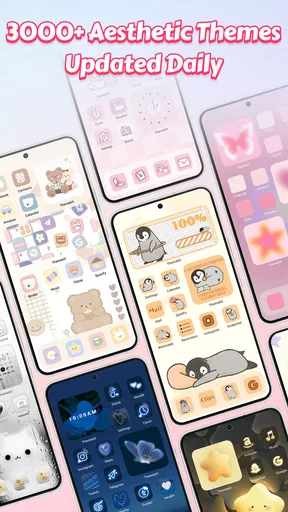
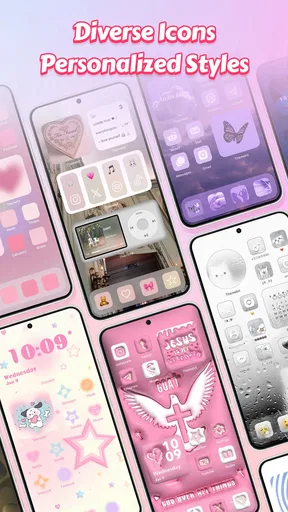
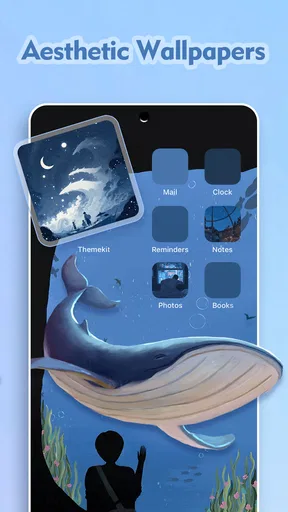
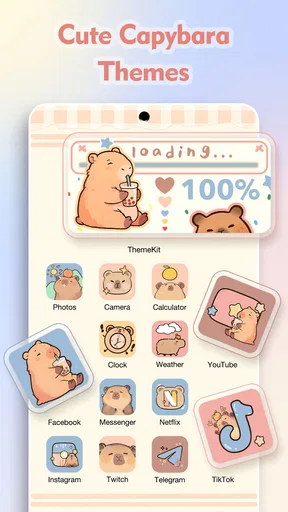
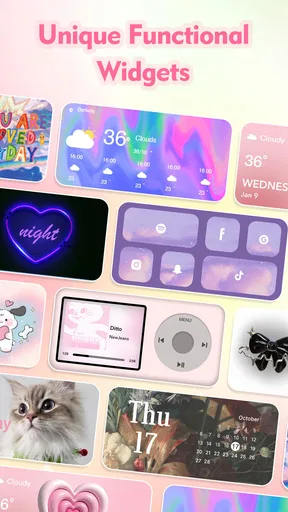
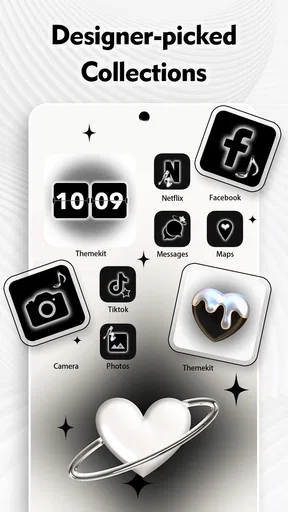
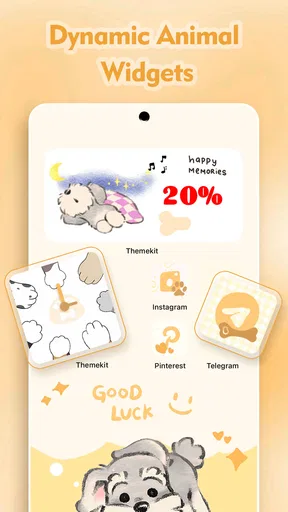
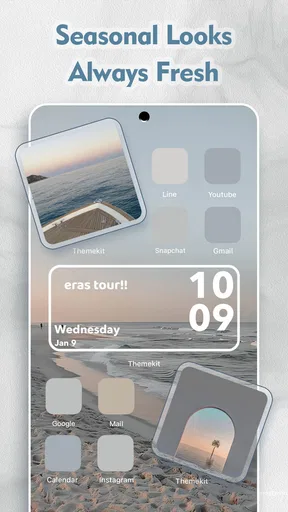
Our Review of ThemePro - Widget & Wallpaper
 Analysis by Appyee
I usually start a home-screen refresh with one small annoyance: a wallpaper I’ve grown tired of, icons that feel mismatched, or a useful space that could do more than hold an app shortcut. ThemePro - Widget & Wallpaper is built for that kind of tinkering. It’s a free personalization app from ThemeKit, with anime-inspired themes, 3D-style icons, widgets and wallpapers among its options. I like that the idea is not just to find a nice background, but to bring several parts of the screen into a more coherent look.
A quick check before changing your screen
Before I start choosing designs, I think about what I want to improve: appearance, at-a-glance information, or both. That makes a real difference here. If I only want a new picture behind my icons, browsing wallpapers is the simplest route. If I want the whole screen to feel deliberate, I need to consider whether a widget’s colors and visual style will work with the background and the icons I already use.
That extra bit of planning is useful because personalization apps can make it easy to collect attractive pieces that do not quite belong together. I would pick a general mood first—bright and playful, calm and minimal, or anime-led—then look for a wallpaper and widgets that support it. The app is more rewarding when I treat it as a small design workflow rather than a feed of unrelated decorations.
Choosing a look, then refining it
The first step is browsing the app’s main areas and narrowing down the kind of result I want. Its layout separates widgets from wallpapers, which helps when I have a specific task in mind. For a full refresh, I would browse both and compare options before settling on one. For a quick change, I can focus on the wallpaper and leave the rest of the screen alone.
Widgets are where I would spend a little more time. A clock or calendar design can look appealing in isolation but take up valuable space once it is on the home screen. I would choose based on what I actually check during the day, not just the preview: a visually large widget makes more sense if it replaces several glances or shortcuts, while a decorative one should earn its space by fitting the rest of the layout.
One practical tip is to make changes in stages. I would first settle on the background, then try a widget style against it, and only then adjust the rest of the screen. That way, if the result feels too busy or hard to read, I know which change caused the problem. It also makes it easier to stop at a useful refresh instead of redesigning everything at once.
Where the app fits into a real routine
Imagine checking your phone in the morning to see the day’s appointments, then picking it up later to reply to messages or look something up. A widget should make that first glance clearer, not compete with the information you need. I would keep the most useful item in an easy-to-see area and use decorative choices more sparingly, especially if the wallpaper has strong colors or a detailed anime illustration.
This is also a sensible way to handle a theme handoff. The app can help you choose and prepare the visual elements, but the final home screen still depends on how you arrange them alongside your existing apps and system controls. I would check the finished layout in ordinary use, not just admire it while setting it up: open a few frequently used apps, make sure labels and important details remain easy to see, and remove any element that makes the screen feel crowded.
The First Impression
Upon opening ThemePro - Widget & Wallpaper, I was greeted by a sleek and user-friendly interface. It's like the app was inviting me into a world of endless customization. No clutter or overwhelming menus—just a straightforward layout that makes navigation a breeze.
The main screen features two primary sections: Widgets and Wallpapers. What I love here is how everything feels organized. You're not bombarded with choices all at once. Instead, you get a curated selection that seems to anticipate what you're looking for. It's like the app read my mind!
Widgets Galore
Now, let's dive into the widgets. The variety on offer is genuinely impressive. Whether you’re into minimalistic clocks, vibrant weather displays, or quirky calendar icons, there’s something for everyone. I found myself playing around with different combinations, trying to find the perfect match for my mood of the day.
One thing that stands out is the customization options. Not only can you choose from a pre-set design, but you can also tweak colors, fonts, and sizes. This level of personalization is a game-changer, especially if you’re someone who likes to have things just so.
Wallpapers That Wow
Moving on to wallpapers, ThemePro doesn’t disappoint. The collection ranges from stunning landscapes to abstract art, and everything in between. Each wallpaper is high-resolution, ensuring your screen looks sharp and vibrant.
I particularly enjoyed the dynamic wallpapers, which change depending on the time of day. It’s a subtle touch, but it adds a layer of depth and interactivity that keeps things fresh. Plus, the app updates its collection regularly, so there’s always something new to check out.
Performance and Usability
Performance-wise, ThemePro is smooth as butter. I didn’t notice any lag or crashes while switching between widgets or wallpapers. Even on my older device, the app ran without a hitch. It’s clear that the developers have put a lot of effort into optimizing it for various devices.
The app is free to download, but there are some premium features locked behind a paywall. However, the free version is generous enough that you can get a lot of value without spending a dime. But if you’re as addicted to customization as I am, you might find the premium options tempting.
Keeping expectations practical
It helps to distinguish between what the app offers and what your phone’s home screen allows. ThemePro gives you design choices, but the way widgets and visual elements sit alongside your regular apps is shaped by your device and launcher. I would treat the previews as a starting point, then judge the finished setup on the actual screen where I use it.
That matters most if you rely on a compact layout or prefer to keep every screen uncluttered. A large decorative widget may look great but push useful shortcuts out of reach. I would rather use one widget that has a clear purpose than add several simply because their styles match. The best result is not the most elaborate one; it is the one I can read and navigate without thinking.
There is also a trade-off between a coordinated theme and flexibility. A strong visual treatment can make a phone feel personal, but it may not suit every app or every moment. If I change my wallpaper often, I would avoid building the entire layout around one very specific palette. More restrained widget colors are easier to keep when I swap backgrounds later, so I do not have to redo the whole screen each time.
How it compares with simpler options
The usual alternative is to choose a wallpaper from a general image collection and leave the rest of the home screen untouched. That is quicker, and it is the better choice if all I want is a fresh background with no setup. ThemePro makes more sense when I also want to explore widgets and coordinate the overall appearance rather than stop at one image.
On the other hand, someone who already enjoys building a home screen from separate tools may prefer to keep that process. A dedicated wallpaper source can be enough for people who value choice in images above integrated customization, while a launcher-focused approach may suit those whose main goal is changing app layout and navigation. I see ThemePro as a convenient middle ground for visual refreshes, not a replacement for every kind of home-screen control.
Its anime and 3D-icon styling will be a draw for some people and a mismatch for others. If I want a restrained, nearly invisible interface, I would be selective and use only the elements that fit that preference. If I enjoy expressive themes, the range of visual directions makes the app easier to recommend. The point is not that every screen should use every style; it is that the app gives different kinds of users room to choose.
What to expect before installing
ThemePro has a 4.7 average from around 244,000 ratings and has been installed over 10 million times, so it has reached a broad audience. It is rated for Everyone, and version 8.0 requires Android 6.0 or later. I would check that operating-system requirement before planning a full refresh, particularly if I am setting up an older phone for someone else.
The app is free to install, while optional in-app purchases range from $0.99 to $34.99 per item. I would explore the free choices first and decide whether a paid option solves a specific need before buying anything. If my goal is simply to change the look of the screen, I would not assume that paying is necessary; if I find a particular design I genuinely want, I can weigh that choice on its own.
It is also worth asking what kind of customization you want to maintain. A theme is most satisfying when you enjoy revisiting the layout, but someone who wants a set-and-forget phone may find repeated browsing unnecessary. In that case, a single suitable wallpaper—or the phone’s built-in personalization controls—could be the more comfortable choice. ThemePro is for people who want options to explore, not for anyone who feels obliged to keep changing their screen.
Is It Worth It?
So, is ThemePro - Widget & Wallpaper worth downloading? In a word, absolutely. Whether you’re looking to freshen up your home screen or dive deep into personalization, this app delivers on all fronts. The combination of variety, customization, and user-friendly design makes it a standout choice in a crowded market.
In a world where first impressions matter, ThemePro ensures your device always looks its best. So go ahead, give it a whirl, and watch your screen come to life. Trust me, you won’t look back.
Who I would recommend it to
I would recommend it to someone who enjoys making a phone feel like their own and wants more than a rotating wallpaper. It is especially appealing if you like trying different visual moods, want widgets to contribute to the design, or enjoy anime-inspired and dimensional icon styles. The separate widget and wallpaper areas make it approachable even if you do not want to overhaul everything in one sitting.
I would be less likely to recommend it to someone who never changes their home screen, wants a very plain interface, or mainly needs deeper control over app organization. Those users may get more from the phone’s built-in settings or a tool focused on launcher layout. And if the key requirement is simply finding one particular photograph or illustration, a dedicated image source could be a faster route than browsing a broader personalization app.
A satisfying finish, with a little restraint
My preferred way to use ThemePro is to make one purposeful change, live with it through an ordinary day, and then decide whether anything else is needed. That small pause catches problems a preview cannot: a widget that draws the eye away from important shortcuts, a busy background behind labels, or a design that looked fun at setup but feels tiring after repeated use. It is an easy way to keep customization practical rather than turning it into a project.
ThemeKit’s app is at its best when I use its visual choices to make the phone feel more inviting without sacrificing clarity. I would start with a wallpaper that suits my taste, add only the widget I will actually use, and keep the rest of the screen familiar. If that balance sounds appealing, ThemePro is an enjoyable place to experiment; if you want minimal effort or extensive layout control, a simpler or more specialized option may suit you better.
Verdict
Strengths of ThemePro - Widget & Wallpaper
- Customizable widgets enhance phone aesthetics.
- Wide variety of high-quality wallpapers available.
- User-friendly interface for easy navigation.
- Regular updates bring new themes and designs.
- Lightweight app that doesn't drain battery.
Limitations of ThemePro - Widget & Wallpaper
- Limited free options; premium features require payment.
- Occasional ads can disrupt user experience.
- Some widgets lack advanced customization.
- Compatibility issues on older devices.
- Requires internet for downloading new content.
Other Releases by ThemeKit
View All
ThemeKit - Themes & Widgets
Personalization4.6
Similar Picks in This Category
View All
Microsoft SwiftKey AI Keyboard
SwiftKey4.3

Wallpapers
Google LLC4.1

Zedge™ Wallpapers & Ringtones
Zedge4.7

Yandex Browser with Alice AI
Direct Cursus Computer Systems Trading LLC4.3

Ringtone Maker:create ringtone
Big Bang Inc.4.7

Fonts Keyboard
Fonts Keyboard3.9
Frequently Asked Questions
What is ThemePro and how does it enhance my device's appearance?
ThemePro is a customization app designed to enhance your device's appearance by offering a variety of widgets, wallpapers, and themes. It provides users with an extensive library to personalize their home screens, allowing for a unique and visually appealing setup that reflects personal style and preferences.
Is ThemePro compatible with both Android and iOS devices?
Yes, ThemePro is compatible with both Android and iOS devices. The app is optimized to work seamlessly across different operating systems, ensuring a smooth user experience regardless of the platform. It offers specific features and designs tailored to suit the requirements and capabilities of each system.
Does ThemePro require a subscription or in-app purchases?
ThemePro offers both free and premium content. While many features and designs are available at no cost, the app also provides exclusive themes and widgets through in-app purchases or a subscription model. This premium option allows users to access a wider range of customization tools and updates regularly.
How user-friendly is ThemePro for those new to customization apps?
ThemePro is designed with user-friendliness in mind, making it accessible for both beginners and experienced users. The app features an intuitive interface with easy navigation, step-by-step guides, and tutorials to help users get started with customizing their devices effortlessly, ensuring a smooth experience for all skill levels.
Can I create my own widgets and wallpapers in ThemePro?
ThemePro allows users to create personalized widgets and wallpapers, offering tools to customize existing templates or start from scratch. This feature gives users the flexibility to design unique elements that match their personal style, providing a platform for creativity and individuality in device customization.
